I finally committed to the switch last weekend. My desktop PC was the last holdout still on Windows in my fleet, because of Adobe Lightroom. I decided to just force myself to learn Darktable, and nuked the Win 11 install and replaced it with Fedora 43.
Fun side note, some of my games run way better than they did on Windows, despite not having native Linux builds. lol.
I tried Lutris before and it would constantly stop installing and freeze up… and when I let it set up in the default directory it will install and then when I launch bnet it doesn’t show any games at all… anddd when it inevitably decides to force quit out of bnet and I click stop on lutris I get “sequence item 0: expected str instance, int found” … also constantly slowing the fuck out of my mouse/computer… I think I fucked my install up when I initially set up mint… might just wipe and start over again…
Flatpak, I’m pretty sure that’s what the software manager installs right? I tried again today and it gave me the same shit. I do want to keep trying to get it to work though if you have any ideas!
This worked immediately for me. I did have to change the install path because it still thought I had a Z drive for some reason… I do want it to work not on steam but if I can play WoW on Linux in the interim I’m happy lol


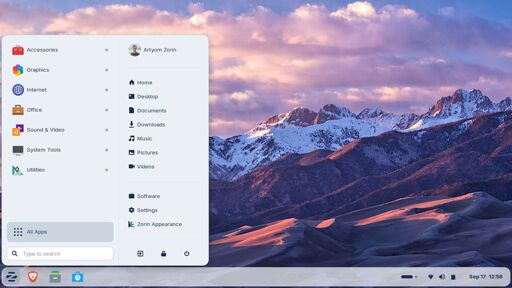
I finally committed to the switch last weekend. My desktop PC was the last holdout still on Windows in my fleet, because of Adobe Lightroom. I decided to just force myself to learn Darktable, and nuked the Win 11 install and replaced it with Fedora 43.
Fun side note, some of my games run way better than they did on Windows, despite not having native Linux builds. lol.
My bottles borked my battle.net install somehow so instead of tackling the issue I’ll put it off for months/years and continue dual booting
My condolences
deleted by creator
I tried Lutris before and it would constantly stop installing and freeze up… and when I let it set up in the default directory it will install and then when I launch bnet it doesn’t show any games at all… anddd when it inevitably decides to force quit out of bnet and I click stop on lutris I get “sequence item 0: expected str instance, int found” … also constantly slowing the fuck out of my mouse/computer… I think I fucked my install up when I initially set up mint… might just wipe and start over again…
deleted by creator
Flatpak, I’m pretty sure that’s what the software manager installs right? I tried again today and it gave me the same shit. I do want to keep trying to get it to work though if you have any ideas!
deleted by creator
you can just run battlenet through steam:
a tiny bit of effort, but only required once. everything afterwards just works!
This worked immediately for me. I did have to change the install path because it still thought I had a Z drive for some reason… I do want it to work not on steam but if I can play WoW on Linux in the interim I’m happy lol