I guess my combined 12TB across five drives ranging in age from 13 to six years old will have to suffice. The only reason I’d need to buy a new drive is if a couple of my current drives die. Which does happen on occasion, of course.
Also, fuck AI, and the assholes who made it, and everyone who currently, personally profits off it. This bubble popping will be the catalyst to take down the entire world economy. MMW.
This feels like such a beginner question to be asking on Lemmy, let alone the tech community, but how does one go about setting up a RAID array to have my data mirrored? I only know the basics I remember about raid 1 and raid 0.
Is this RAID array something you can do without one of those “multi-hard drive units”? I have 2 16TB hard drives that I’d like to have one as a mirror copy of the first as a backup that updates at the same time but they feel too big to fit into one of those units. But maybe setting up a RAID array could be done programmatically.
I’d love and appreciate if anyone could point me in the right direction!
nowadays RAID is done with software, on linux if possible. common choices are ZFS and md-raid. you connect drives with SATA or SAS to a computer, and you can add them to a pool. drives added to pool will be formatted once.
hardware raid is discouraged, because if the RAID card fails you need a replacement of the exact same kind, with same firmware version, and they can have other difficulties too that software RAID solutions don’t.
That’s great, I’d love to not have to buy one of those machines, and I have been running my JF on a laptop just running Linux with a single one of the 16tb drives.
If the drives added to the pool need to be formatted, is there a possibility that it wipes the data on it? I’ll take a bit of time to read up on some of the options you mentioned.
If the drives added to the pool need to be formatted, is there a possibility that it wipes the data on it?
that’s what I meant, yes, but you said you have 2 16 TB drives right? at least with ZFS, setting up a mirror can be done only starting with a single drive. It’s a godsend.
first, you take the empty drive, check that it’s actually empty, and if so, create a ZFS pool of a single drive from it, with zpool create. copy all your data over. you can use rsync, it has a bunch of options for preserving most filesystem metadata, and for printing progress.
when done, check that absolutely everything got transferred, and add the other 16 TB drive too to the pool with zpool attach. doing this will convert the pool with only a disk vdev, into a pool with a mirror vdev of 2 disks.
you may want to enable compression from the beginning. if you do it later, existing data won’t be compressed. media files mostly don’t benefit from this. compression is enabled on the dataset level, with the zfs command, if you set it to lz4 (recommended alg) for the root dataset, everything will be compressed that way.
Just in case: https://serverpartdeals.com/
Still the same sort of prices you expect, but decent warranties on re-certified enterprise HDDs.
Oddly, I’ve never had an HDD or SSD ever die on me. I’ve got old ass ones that aren’t even a GB that I’ve torn apart and thrown away. My oldest SSD just got removed and put in a cabinet because 256gb is just too small.


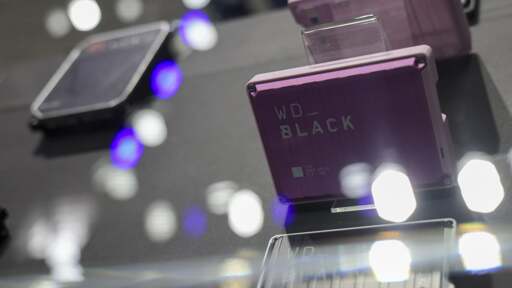
I guess my combined 12TB across five drives ranging in age from 13 to six years old will have to suffice. The only reason I’d need to buy a new drive is if a couple of my current drives die. Which does happen on occasion, of course.
Also, fuck AI, and the assholes who made it, and everyone who currently, personally profits off it. This bubble popping will be the catalyst to take down the entire world economy. MMW.
Yeah fortunately mine are all in RAID arrays, hopefully none die in the next year or I may have to run degraded.
This feels like such a beginner question to be asking on Lemmy, let alone the tech community, but how does one go about setting up a RAID array to have my data mirrored? I only know the basics I remember about raid 1 and raid 0.
Is this RAID array something you can do without one of those “multi-hard drive units”? I have 2 16TB hard drives that I’d like to have one as a mirror copy of the first as a backup that updates at the same time but they feel too big to fit into one of those units. But maybe setting up a RAID array could be done programmatically.
I’d love and appreciate if anyone could point me in the right direction!
nowadays RAID is done with software, on linux if possible. common choices are ZFS and md-raid. you connect drives with SATA or SAS to a computer, and you can add them to a pool. drives added to pool will be formatted once.
hardware raid is discouraged, because if the RAID card fails you need a replacement of the exact same kind, with same firmware version, and they can have other difficulties too that software RAID solutions don’t.
That’s great, I’d love to not have to buy one of those machines, and I have been running my JF on a laptop just running Linux with a single one of the 16tb drives.
If the drives added to the pool need to be formatted, is there a possibility that it wipes the data on it? I’ll take a bit of time to read up on some of the options you mentioned.
Thanks for the help!
also, when and where did you buy those 16 TB drives? I badly need a few like those
also, when and where did you buy those 16 TB drives? I badly need a few like those
that’s what I meant, yes, but you said you have 2 16 TB drives right? at least with ZFS, setting up a mirror can be done only starting with a single drive. It’s a godsend.
first, you take the empty drive, check that it’s actually empty, and if so, create a ZFS pool of a single drive from it, with zpool create. copy all your data over. you can use rsync, it has a bunch of options for preserving most filesystem metadata, and for printing progress.
when done, check that absolutely everything got transferred, and add the other 16 TB drive too to the pool with zpool attach. doing this will convert the pool with only a disk vdev, into a pool with a mirror vdev of 2 disks.
further recommended reading: https://openzfs.github.io/openzfs-docs/man/master/8/zpool.8.html
you may want to enable compression from the beginning. if you do it later, existing data won’t be compressed. media files mostly don’t benefit from this. compression is enabled on the dataset level, with the zfs command, if you set it to lz4 (recommended alg) for the root dataset, everything will be compressed that way.
Just in case: https://serverpartdeals.com/ Still the same sort of prices you expect, but decent warranties on re-certified enterprise HDDs.
Oddly, I’ve never had an HDD or SSD ever die on me. I’ve got old ass ones that aren’t even a GB that I’ve torn apart and thrown away. My oldest SSD just got removed and put in a cabinet because 256gb is just too small.
Their prices seem 2x what they were a few years ago. 2.5 years ago I bought two 16TB HGSTs from them for $170 each.