• 5 Posts
  • 12 Comments
Joined 3 months ago
Cake day: January 6th, 2026


  • This worked dude thank you so much.

    I tried getting it to run on the old laptop since I didn’t care a bout it but my god of course that user (which is the only one ) wasn’t allwoed to run root adn instead of reading up for an hour on how to edit the groups I finally just ran it as root on my personal machine and it worked. thank you man I was for real about to snap the laptop in half i was getting blinded with rage.

    I normally don’t lose my cool like this so easily but I have to update this to use it or else I lose my job so windows just doing everything it could to not work was making me lose it man.

    Figured this would be like making a linux usb. HAHAHAHAHAHA


I am using linux is why i posted this here
I have tried every single guide i could find.

it wont work.

I am trying to make a bootable win10 usb so i can install it on an old laptop to update a piece of equipment that requires windows.

It’s been hours and hours of my time I never imagined this could burn a whole afternooon…

I treid this one

GNOME Disks provides an intuitive graphical interface to manage storage drives. It comes pre-installed on popular Linux distributions like Ubuntu, Fedora and Debian. If Disks is already available on your system, simply launch it and jump to Step 4.
TIP: If GNOME Disks is not installed, use your distribution‘s package manager to install. For example, on Ubuntu/Debian run: sudo apt install gnome-disks

Insert your USB drive and launch GNOME Disks.  
In the sidebar, click your flash drive‘s entry (check the size to verify)  

Select USB in Disks sidebar

Click the menu icon next to the drive name and select "Format Disk" from the context menu.  

Format disk menu option

Confirm your selection in the prompt and click "Format" in the dialog after setting "(MBR/DOS)" for the new partition table. This will completely erase all data on the drive.  

Format disk confirmation prompt

Wait for formatting to complete. Then click the "+" button to create a new partition.  

Create partition button

In the "Create Partition" dialog, set capacity and partition type as NTFS.  

Set partition details

Open your Windows 10 ISO image file, right click the icon, and select "Open With Disk Image Mounter". This will mount it as a virtual drive.  
Open the newly mounted drive, select all files/folders, copy them over to your flash drive partition you just formatted.  

Copy Windows ISO contents

After the copy completes, right click the USB partition and eject it safely. The drive is now ready to be used for installing or repairing Windows.  

The GNOME Disks utility provides an easy graphical way to format drives and configure partitions. But if you‘re looking for advanced storage management, GParted is an excellent choice. Let‘s see how to create Windows 10 media with it.

I tried several other ones too I tried restoring disk image like i do with linux iso and NOTHING IS WORKING IT JUST WONT WORK MAN…

what am i doing wrong???

I honestly should never have removed windows from it. I knew I would need that pos OS at some point for something and they seriously make it harder than anything i have ever installed ever, to install on a computer. I don;'t get it man. It’s ruining my entire day.


So I have that error when it starts up and it says “RDSEED32 is broken disabling the corresponding CPU bit”

I noticed today that AMD has already patched this but what is the easiest and beginner friendly way to update it on my machine? I run fedora.

I was hoping it would be some update within Linux but so far no dice as according to this page from AMD the update has already been issued. (https://www.amd.com/en/resources/product-security/bulletin/amd-sb-7055.html)

I know windows is usually the easiest way to do these things but I would be willing to learn a little bit (within my technical limits) to avoid using it for this.

And if I DID have to use windows, right now I’m using LUKS encryption so isn’t that like a monster to add windows into without messing stuff up?

I am very beginner on command line stuff but can navigate through files and stuff like that.

What’s the best move for this?


  • Yeah when they raised the gamepass price from $20 to $30 I sold my XSX. PlayStation has always been better as far as consoles go anyway now I just rock my PC and for any invasive kernal level anti cheat that won’t work on Linux (thankfully) I just get those for PlayStation.

    I always hated Xbox but they actually got me to buy one of their consoles simply because the game pass used to be such a good deal. And they even fucked that up.

    Won’t be long and they will not make anymore consoles. Or just pay to put the Xbox branding on a PC which is what they are doing with the handheld coming out.


  • I’ve looked around but just haven’t found many viable options for some I know that Alienware made one awhile back but no longer do it looks like the poster that replied to you on this comment though found a pretty sweet deal which is awesome. Just smaller than what I would be wanting.

    I want one that’s like 55"- 65" 120hz and has a display port and I haven’t been able to find a single one they’re all TVs full of spyware and no displayport options. (I have my current tv blocked on the router level from the internet)

    I’d even just settle for a smart tv as long as it just had a display port. I might just have to switch to a monitor soon to get the most of my system. I would no joke be willing to save up and pay around 3K for a 55" to 65" monitor with 120hz and a displayport with no internet access. But they just don’t seem to exist from what I’ve seen.


  • Edit: Just now saw the answer in your comment above that’s a huge bummer damn the HDMI Forum but thank you so much for the answer!

    I havent seen a setting for it but on this tv if you hold down the play button it opens a game mode taskbar that says the resolution if HDR is enabled and if VRR is on or off.

    On PS you can set the settings on the playstation itself to automatically use VRR when available so when I’m not running a game it says VRR off on that game mode bar that the tv pulls up but when I start a game it automatically switches it on and says VRR On on the game mode taskbar.


I have an AMD Ryzen 7 9800X3D 4.7GHz processor and AMD Radeon RX 9070 XT setup hooked up to a Samsung S90D as a monitor. Running Fedora KDE Plasma.

I can enable 120hz and HDR from my settings but see no way to set VRR anywhere. It works with the Playstation so I know the tv is capable. I asked AI a couple times just to get a rough idea of things I could try and tried the command

kwriteconfig5 --file kwinrc --group Compositing --key “VRR” “true”

but didn’t recieve a response so idk if this worked or not. Is this going to require installing AMD proprietary drivers? I briefly read a little about that and it looks like the process is quite a bit above my current skill level.

I saw a dev post about disabling Multi Stream Transport on the monitor but I could not find this setting on my tv anywhere so I think this may be a monitor only setting.

Any help or guidance would be greatly appreciated thank you so much in advance!


(I am a beginner) So I recently installed a fresh version of Fedora KDE Plasma after switching from GNOME Fedora because my understanding is that gaming is a bit better supported with KDE. (I switched because Cyberpunk wouldnt let me enable HDR even though it was on in GNOME settings and am on the journey of using gamescope and all that with this KDE install)

So the first thing I noticed is Discover absolutely WILL NOT let me download RPM versions of anything Flathub only even though I do have all third party repositories enabled. On GNOME I could just toggle a switch right on the software page to select which version of an application I wanted to install but no such luck here which is a bit of a bummer.

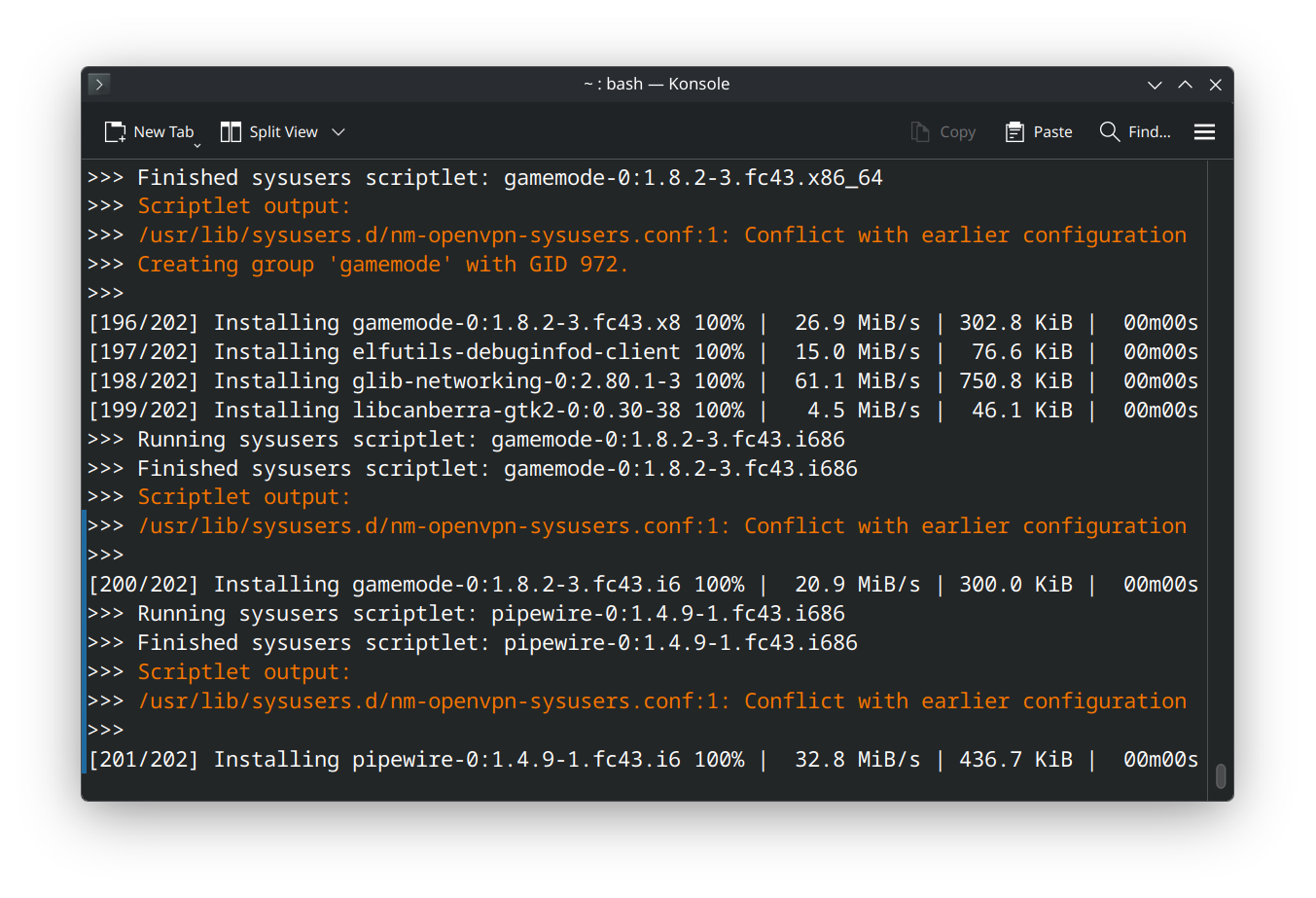
Normally I would use flatpaks but Steams flatpak requires me changing the udev rules for input and I dont think Im ready for all that quite yet so wanted the RPM version which I installed using the official fedora documentation to do so (https://docs.fedoraproject.org/en-US/gaming/proton/) and I did all of that and it did install however I encountered the errors in the pictures above and my questions are:

  1. Can I just ignore this with no issues to my system?

and

  1. Is this somehow related to KDE not showing me third party repository options?