Here it is: https://github.com/linkwarden/linkwarden/tree/main/apps/mobile
We’re fully open-source :)
Here it is: https://github.com/linkwarden/linkwarden/tree/main/apps/mobile
We’re fully open-source :)
Thanks!
Will post the link to the APK on Mastodon/Bluesky/Twitter as soon as it’s is ready.
Thank you! :)
We’re working on it :)
Edit: Will post the link to the APK on Mastodon/Bluesky/Twitter as soon as it’s is ready.
No problem!
Hello everyone,
Before we talk about today’s announcement, let’s take a moment to appreciate what this community has built together. What started as a project to preserve webpages and articles has quietly grown into Linkwarden, a tool used by researchers, journalists, and knowledge collectors all over the world.
As we’ve grown, the Linkwarden community has helped us reach:
None of this would’ve happened without you. Thank you! 🚀
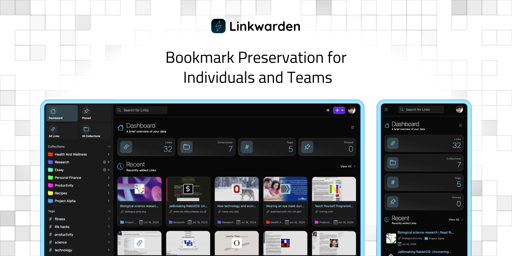
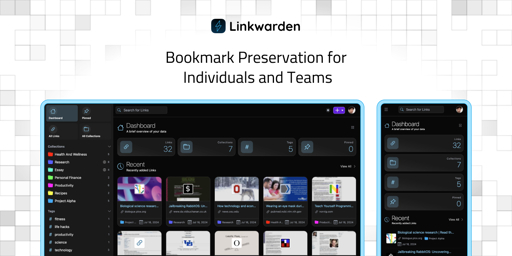
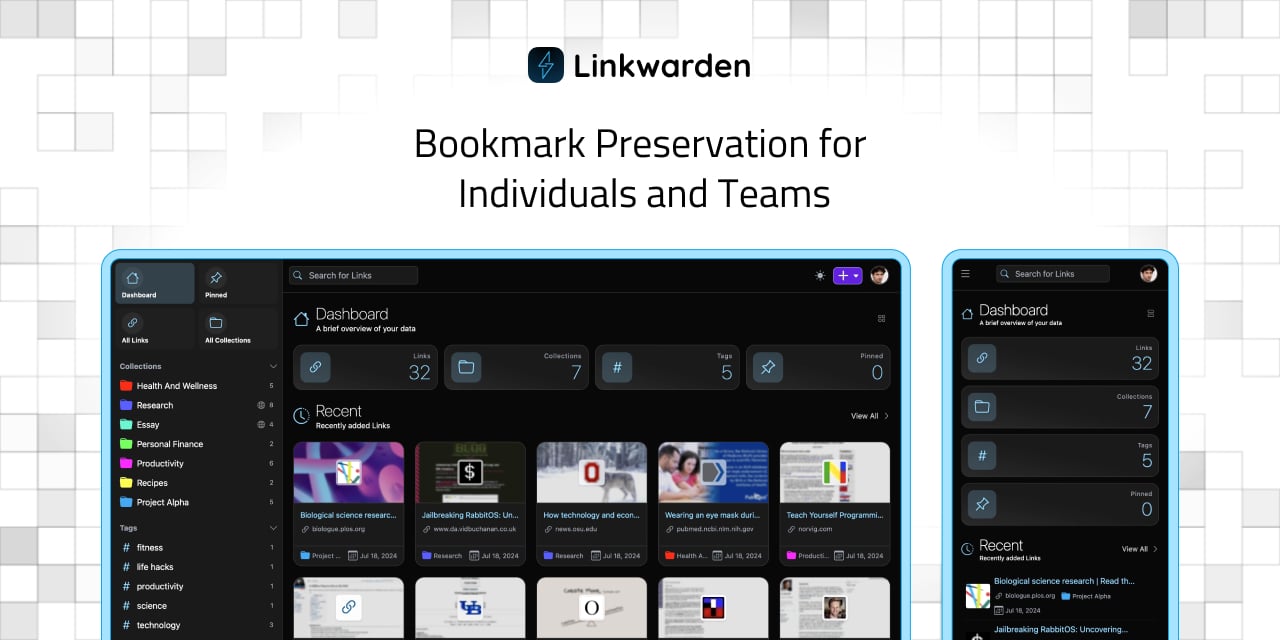
Today, we’re excited to launch something you’ve been asking for since the very beginning: the official Linkwarden mobile app, now available on iOS and Android.

Here are the highlights so far:
🧩 Create, organize, and browse your links: A native, mobile-first experience with collections, tags, and powerful search.
📤 Save links directly from the share sheet: Send interesting articles from the browser or any other app straight into Linkwarden, no copy-paste required.
📚 Cached data for offline reading: Catch up on long reads, articles, or saved blog posts when you’re away from Wi-Fi.
☁️ Works with Linkwarden Cloud and self-hosted: Use the same app whether you’re on Linkwarden Cloud or your own self-hosted instance, just point it at your server and sign in.
📱 Built for different screen sizes: Supports iOS / iPadOS, and Android (phones and tablets).
🔜 And more coming soon: This first release is just the foundation, expect many improvements and new features soon.
To use the app you’ll first need a Linkwarden account (version v2.13+ recommended).
You can choose between:
After creating an account, download the app from your preferred store:
Linkwarden exists because of people like you. Other than using our official Cloud offering and dontations, here are the other ways to help us grow and stay sustainable:
Thank you for being part of this community. 💫

Nope, self-hosting is 100% free :)

Yes, but you’ll need to either upload the webpage using SingleFile or use our official Browser Extension.

You can disable preservation and sync Linkwarden with your browser bookmarks using Floccus and it can serve you as a regular bookmark manager.

Thanks! We might bump the import limit sometime soon, how large is the file you’re trying to import?

Hey there! The screenshot was cropped, not sure which part you’re talking about
Today, we’re excited to announce the release of Linkwarden 2.13! 🥳 This update brings significant improvements and new features to enhance your experience.
For those who are new to Linkwarden, it’s basically a tool to collect, read, annotate, and fully preserve webpages, articles, and documents, all in one place. It’s great for bookmarking stuff to read later, and you can also share your resources, create public collections, and collaborate with your team. Linkwarden is available as a Cloud subscription or you can self-host it on your own server.
This release brings a range of updates to make your bookmarking and archiving experience even smoother. Let’s take a look:
We added a dedicated page where you can view, sort, add, bulk merge, and bulk delete you Tags, all in one place.

You can now shrink the sidebar for a more compact and minimal look.

This release comes with many bug fixes, security fixes, and optimizations that’s recommended for all users.
There are also a bunch of smaller improvements and fixes in this release to keep everything running smoothly.
Full Changelog: https://github.com/linkwarden/linkwarden/compare/v2.12.2...v2.13.0
If you’d rather skip server setup and maintenance, our Cloud Plan takes care of everything for you. It’s a great way to access all of Linkwarden’s features—plus future updates—without the technical overhead.
We hope you enjoy these new enhancements, and as always, we’d like to express our sincere thanks to all of our supporters and contributors. Your feedback and contributions have been invaluable in shaping Linkwarden into what it is today. 🚀
Also, the Official Mobile App for iOS and Android are coming very soon! Follow us on Mastodon, Twitter (X), and Bluesky for the latest updates.
Today, we’re excited to announce the release of Linkwarden 2.12! 🥳 This update brings significant improvements and new features to enhance your experience.
For those who are new to Linkwarden, it’s basically a tool for saving and organizing webpages, articles, and documents all in one place. It’s great for bookmarking stuff to read later, and you can also share your resources, create public collections, and collaborate with your team. Linkwarden is available as a Cloud subscription or you can self-host it on your own server.
This release brings a range of updates to make your bookmarking and archiving experience even smoother. Let’s take a look:
One of our most requested features is finally here! You can now drag and drop Links onto Collections and Tags. This makes it much easier to organize your bookmarks and keep everything tidy.
SingleFile is an awesome browser extension that allows you to save complete webpages as a single HTML file on your device. As of Linkwarden 2.12, you can upload your saved links directly from the SingleFile browser extension into Linkwarden. This allows you to easily save articles which are behind paywalls or require authentication directly from your browser.
To use this feature, simply install the SingleFile extension, and then follow the documentation.
We’ve made significant progress in our translations, with many languages now fully supported. If you’re interested in helping out with translations, check out our Crowdin page.
There are also a bunch of smaller improvements and fixes in this release to keep everything running smoothly.
Full Changelog: https://github.com/linkwarden/linkwarden/compare/v2.11.8...v2.12.0
If you’d rather skip server setup and maintenance, our Cloud Plan takes care of everything for you. It’s a great way to access all of Linkwarden’s features—plus future updates—without the technical overhead.
We hope you enjoy these new enhancements, and as always, we’d like to express our sincere thanks to all of our supporters and contributors. Your feedback and contributions have been invaluable in shaping Linkwarden into what it is today. 🚀
Today, we’re excited to announce the release of Linkwarden 2.11! 🥳 This update brings significant improvements and new features to enhance your experience.
For those who are new to Linkwarden, it’s basically a tool for saving and organizing webpages, articles, and documents all in one place. It’s great for bookmarking stuff to read later, and you can also share your resources, create public collections, and collaborate with your team. Linkwarden is available as a Cloud subscription or you can self-host it on your own server.
This release brings a range of updates to make your bookmarking and archiving experience even smoother. Let’s take a look:
You can now configure the font style, font size, line height, and line width for the readable view. This allows you to create a more personalized reading experience that suits your preferences.
This feature essentially gives Linkwarden what other read-it-later apps like Pocket offered.

You can now add notes to your highlights in the readable view and view them in the highlights sidebar. This is a great way to jot down your thoughts or insights while reading, making it easier to remember key points later.

The dashboard has received a major overhaul! You can now customize it to show the information that matters most to you. Choose from various widgets like recent links, pinned links, or your saved collections. This makes it easier to access the content you care about right from the dashboard.

Good news for Pocket users! You can now import your saved links from Pocket into Linkwarden. This makes it easy to transition to Linkwarden without losing your existing bookmarks.
We’ve integrated Crowdin for translations, making it easier to contribute translations for Linkwarden. If you’re interested in helping out with translations, check out our Crowdin page.
To start translating a new language, please contact us so we can set it up for you. New languages will be added once they reach at least 50% translation completion.
Thanks to Shadcn UI, the user interface has been improved with a more modern and polished look. This update enhances the overall user interface, making it easier to use Linkwarden.
There are also a bunch of smaller improvements and fixes in this release to keep everything running smoothly.
Full Changelog: https://github.com/linkwarden/linkwarden/compare/v2.10.2...v2.11.0
If you’d rather skip server setup and maintenance, our Cloud Plan takes care of everything for you. It’s a great way to access all of Linkwarden’s features—plus future updates—without the technical overhead.
We hope you enjoy these new enhancements, and as always, we’d like to express our sincere thanks to all of our supporters and contributors. Your feedback and contributions have been invaluable in shaping Linkwarden into what it is today. 🚀

To access the webpages (before being bookmarked)? Yeah.
Otherwise if the articles and webpages are already bookmarked/saved, no it doesn’t need to access the internet.

Yup, it’s self-hostable and can work locally on your own network.

Hey, thanks! We usually go with the most requested suggestions from the community. If it gets enough demand, why not? :)
Haha, thanks!