- 1 year
My dumb ass just went and tried to clean my screen before I read your comment
- 1 year
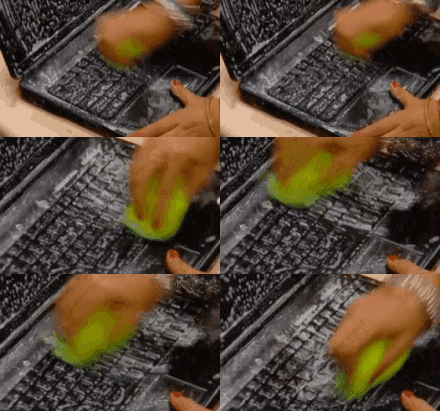
It has been saved, reposted and saved so many times that there is data loss making fuzzy artifacts in the picture.
This was incredibly confusing for me because I washed my hands after opening this post. I picked up my phone, and I read your top comment before reading the post, and then I looked at my screen and I actually had water on my screen. I was like, “Damn that is some realistic looking water!” Then I wiped it on my shirt and it disappeared and I got really confused lol
 1 year
Just open up notepad, start cleaning, and then use the resulting document as a word finder puzzle. Hell, if you’re really lucky you might write the next best selling novel.
- 1 year
Wouldn’t recommend this. I mean, it was publishable, sure. But there were tons of spelling errors.
- 1 year
Some keyboards have a lock button and most can be unplugged
- 1 year
Mostly only an issue for laptops.
Side note: whoever decided that pressing any key on the keyboard should turn on the computer should be shot. Fuck you Apple for bringing that back.
- 1 year
Not sure how long I’ve had this tool but several years at least. Nothing fancy, just toggles keyboard input temporarily so you can clean. Works for power key.
Years ago Apple rejected the app for the Mac App Store because apparently it’s “not useful”
Apple employees never clean their keyboards confirmed
- 1 year
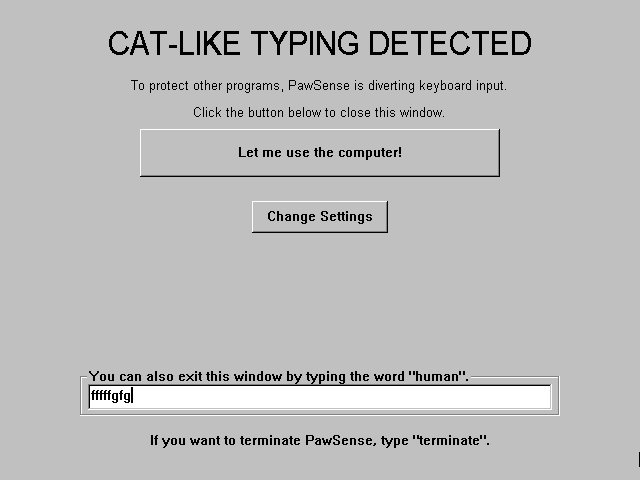
I think there used to be a program for windows to lock the keyboard, too. Themed around protecting from cats walking across it, if anyone wants to look.
You’re supposed to clean your keyboard?
I bought one with lights and it’s a glorious display case for my collection of dead skin, crumbs and stray pubes.
- letsgo@lemm.eeEnglish1 year
How are your pubes getting near your k–
wait, no I don’t want the answer to that question.
- 1 year
Unplugging the keyboard requires getting down on my hands and knees, groping around to find a plug I can’t visually see, and probably dislocating my shoulder in the process.
And then even more luck required to get the plug I can’t see back IN, trying the USB every single way blind by feel only, and neither way wants to accept it’s the right one.
It’s an absolute last resort.
My keyboard has a detachable cable so you can just unplug it from the keyboard
- AugustWest@lemm.eeEnglish1 year
Its odd that keyboards don’t have USB on the back of them. Every other peripheral does it seems, but they usually come hard wired.
Thank you, meme, for making me take 20 seconds to clean my phone screen then wonder why it wouldn’t clean.
- 1 year
I don’t clean my keyboard. I just add chia seeds and a little water. Chia keyboard ftw.
Just lock the screen. The worst that’ll happen is a failed login or switching the keyboard layout or something.
- skisnow@lemmy.caEnglish1 year
Windows-L is the hotkey (in Windows at least), for those who maybe didn’t know.
And in GNOME. In KDE, it’s Ctrl+Alt+L. In macOS, it’s Cmd+Ctrl+Q.
- 1 year
My KDE (both 5 and 6, just checked) also uses Meta+L, by default. On my KDE 5 Ctrl+Alt+L appears as custom but I don’t remember adding it, maybe they inverted the two.
Maybe it’s the other way around then, it’s muscle memory at this point. I know GNOME and KDE are opposites.
- 0101100101@programming.devEnglish1 year
Esterline make specialised keyboards that are specifically for sterile environments which have this feature. You press a button, the keys are ignored and you can wipe the keyboard down.
- Etterra@discuss.onlineEnglish1 year
It’s what happens when you trip over the lamp’s power cord, except for a keyboard.
- 1 year
I just open a vt and clean. Typing gibberish on login prompt is fine and f keys don’t work.